🌎 Working with Data Sources
One of SounderPy’s central design ideas is that many different atmospheric
profile sources are converted into a common dictionary structure called
clean_data.
That means this:
spy.build_sounding(data)
works whether data came from an observed RAOB, RAP/RUC reanalysis, BUFKIT
forecast, ACARS aircraft profile, or another supported/converted source.
This tutorial demonstrates four common retrieval workflows and introduces the
shared clean_data structure.
The Core clean_data Structure
A typical cleaned profile contains at least:
clean_data
├── p          pressure
├── z          height
├── T          temperature
├── Td         dewpoint
├── u          u-component wind
├── v          v-component wind
└── site_info  profile metadata
Many SounderPy profiles also contain plotting metadata such as titles or
derived wind-direction/wind-speed fields.
The meteorological arrays use MetPy/Pint units. For example:
print(data["p"])
print(data["T"])
print(data["u"])
Profile metadata are stored beneath:
data["site_info"]
Useful metadata may include:
data["site_info"]["site-id"]
data["site_info"]["site-name"]
data["site_info"]["site-latlon"]
data["site_info"]["source"]
data["site_info"]["model"]
data["site_info"]["valid-time"]
Observed RAOB / IGRA Profiles
Retrieve an observed sounding with get_obs_data():
import sounderpy as spy

raob = spy.get_obs_data(
    "OAX",
    "2014",
    "06",
    "16",
    "18",
    hush=True,
)
Plot it normally:
spy.build_sounding(
    raob,
    radar=None,
    map_zoom=0,
)
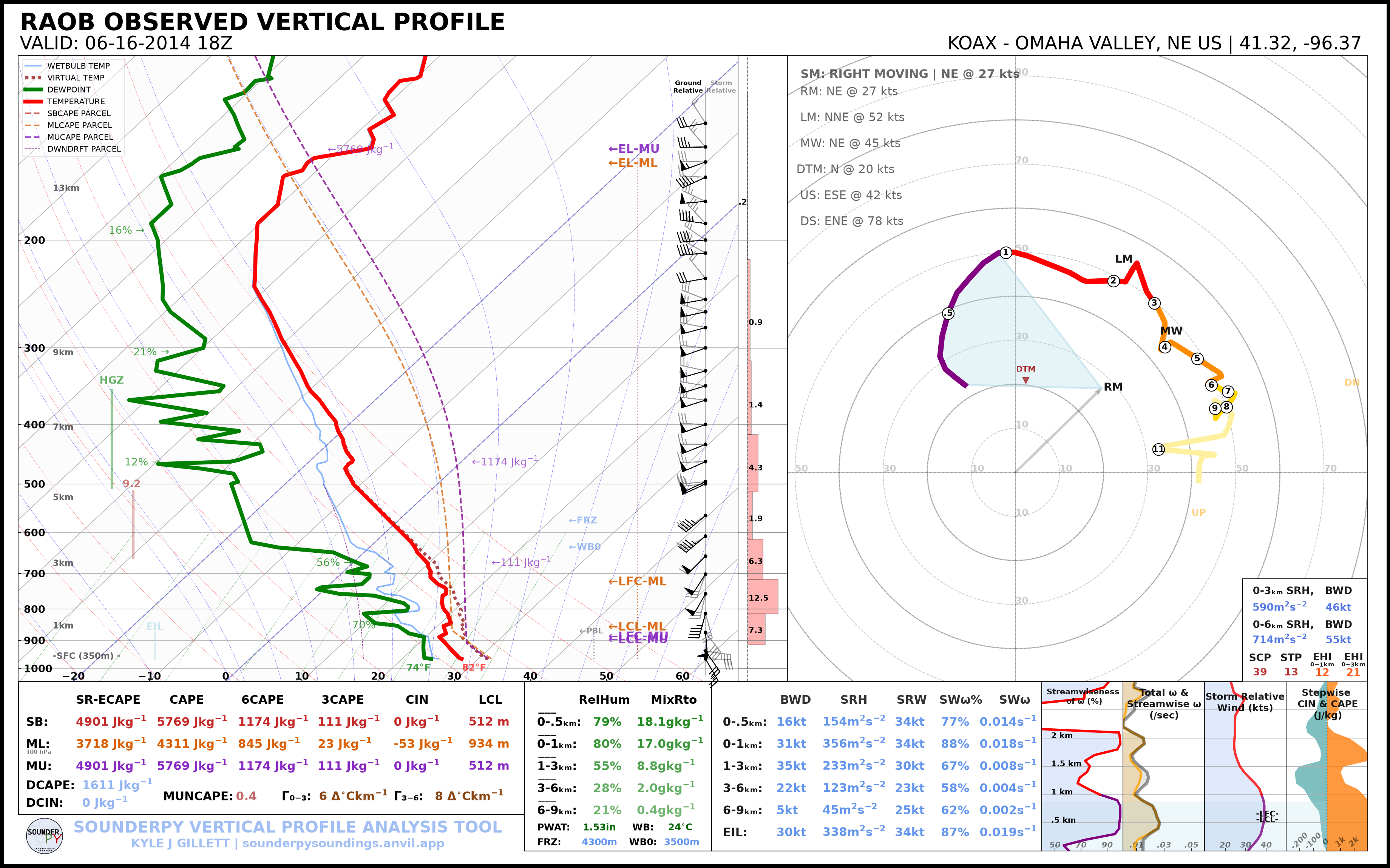
The station argument may be a supported RAOB station identifier or IGRAv2
identifier.
RAP/RUC Reanalysis
RAP/RUC profiles are requested through get_model_data():
rap = spy.get_model_data(
    "rap-ruc",
    [44.58, -100.82],
    "2024",
    "08",
    "28",
    "18",
    box_avg_size=0.25,
    hush=True,
)
The location is given as:
[latitude, longitude]
and box_avg_size controls the area-average box size in degrees.
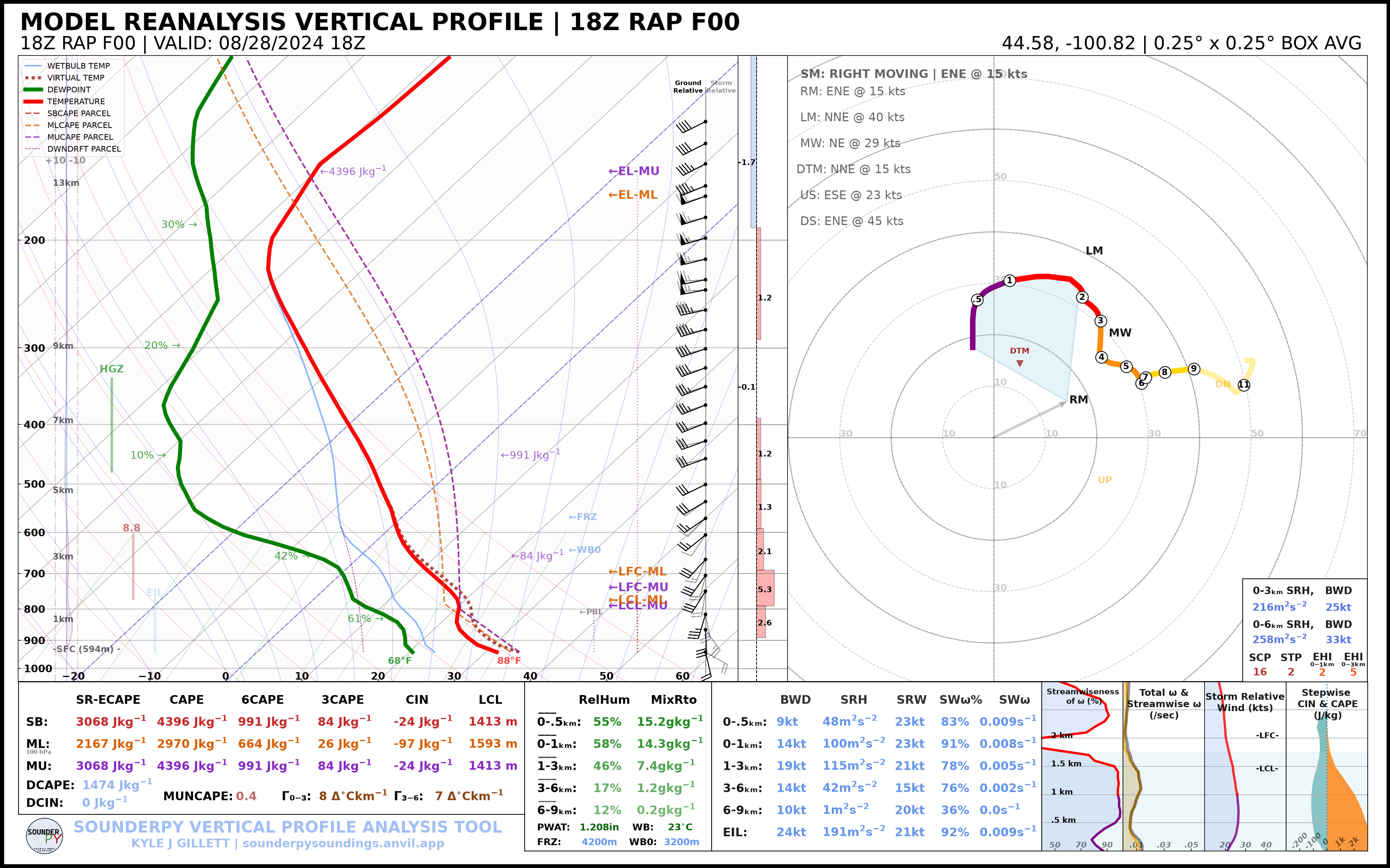
For modern RAP data, SounderPy’s RAP/RUC workflow uses GRIB2 retrieval with the
configured archive/fallback logic before converting the profile into
clean_data.
Other Model/Reanalysis Sources
The same model interface is used for other supported model/reanalysis sources:
data = spy.get_model_data(
    "era5",
    [44.58, -100.82],
    "2024", "08", "28", "18",
    hush=True,
)
or:
data = spy.get_model_data(
    "ncep",
    [44.58, -100.82],
    "2024", "08", "28", "18",
    hush=True,
)
Some sources may require additional credentials, external services, or source-specific data availability. See Getting Data for the current requirements.
BUFKIT Forecast Profiles
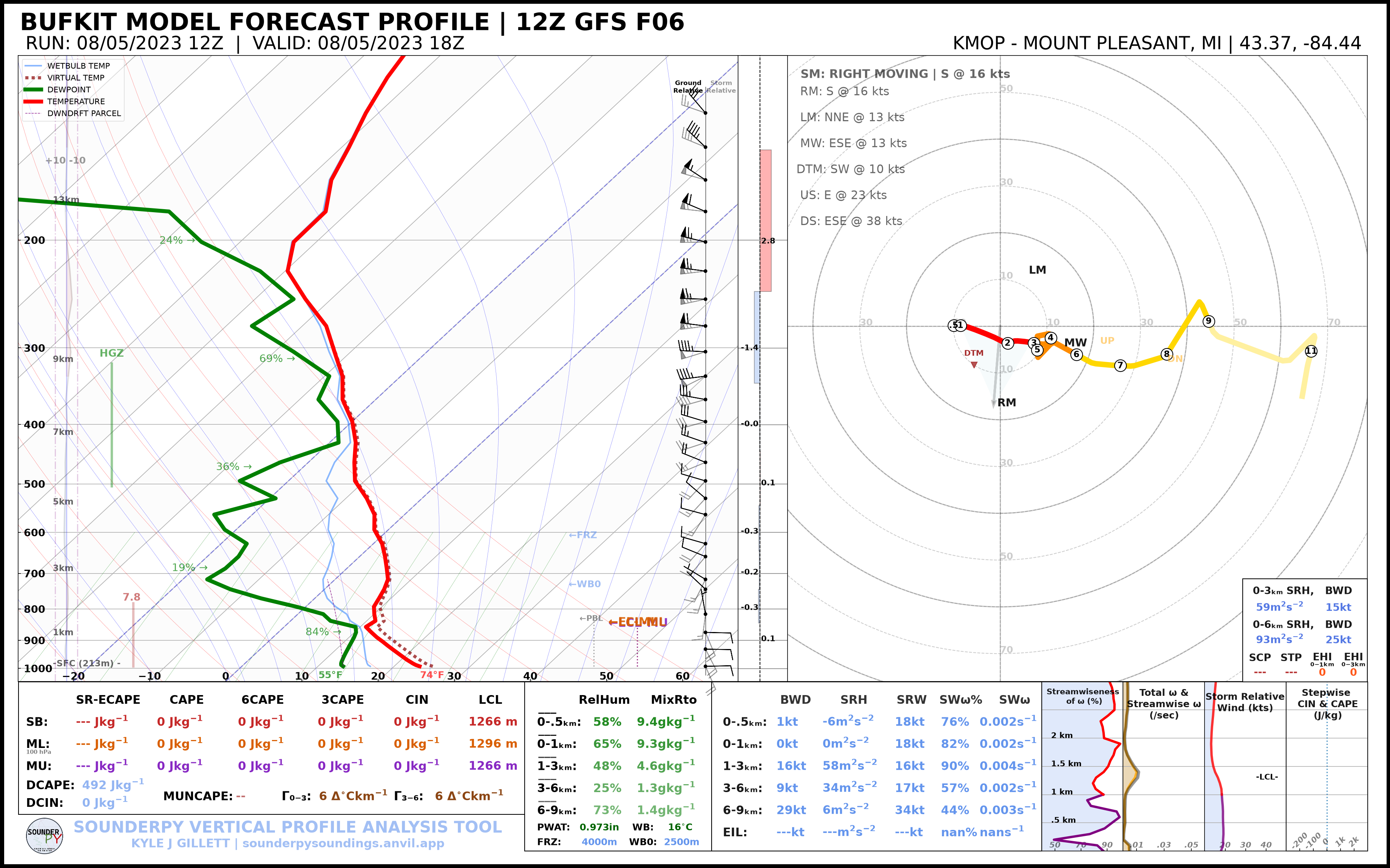
A current/recent BUFKIT profile can be requested with:
bufkit = spy.get_bufkit_data(
    "gfs",
    "KMOP",
    6,
    hush=True,
)
The first three arguments are:
model
station
forecast hour
For an archived model run, provide the initialization date/time:
bufkit = spy.get_bufkit_data(
    "gfs",
    "KMOP",
    6,
    "2023",
    "08",
    "05",
    "12",
    hush=True,
)
ACARS Aircraft Profiles
ACARS retrieval is a two-step workflow.
First, create a connection for the requested date/hour:
acars = spy.acars_data(
    "2024",
    "05",
    "21",
    "18",
)
List available profiles:
profiles = acars.list_profiles()
print(profiles)
Then retrieve one returned profile ID:
data = acars.get_profile(
    profiles[0],
    hush=True,
)
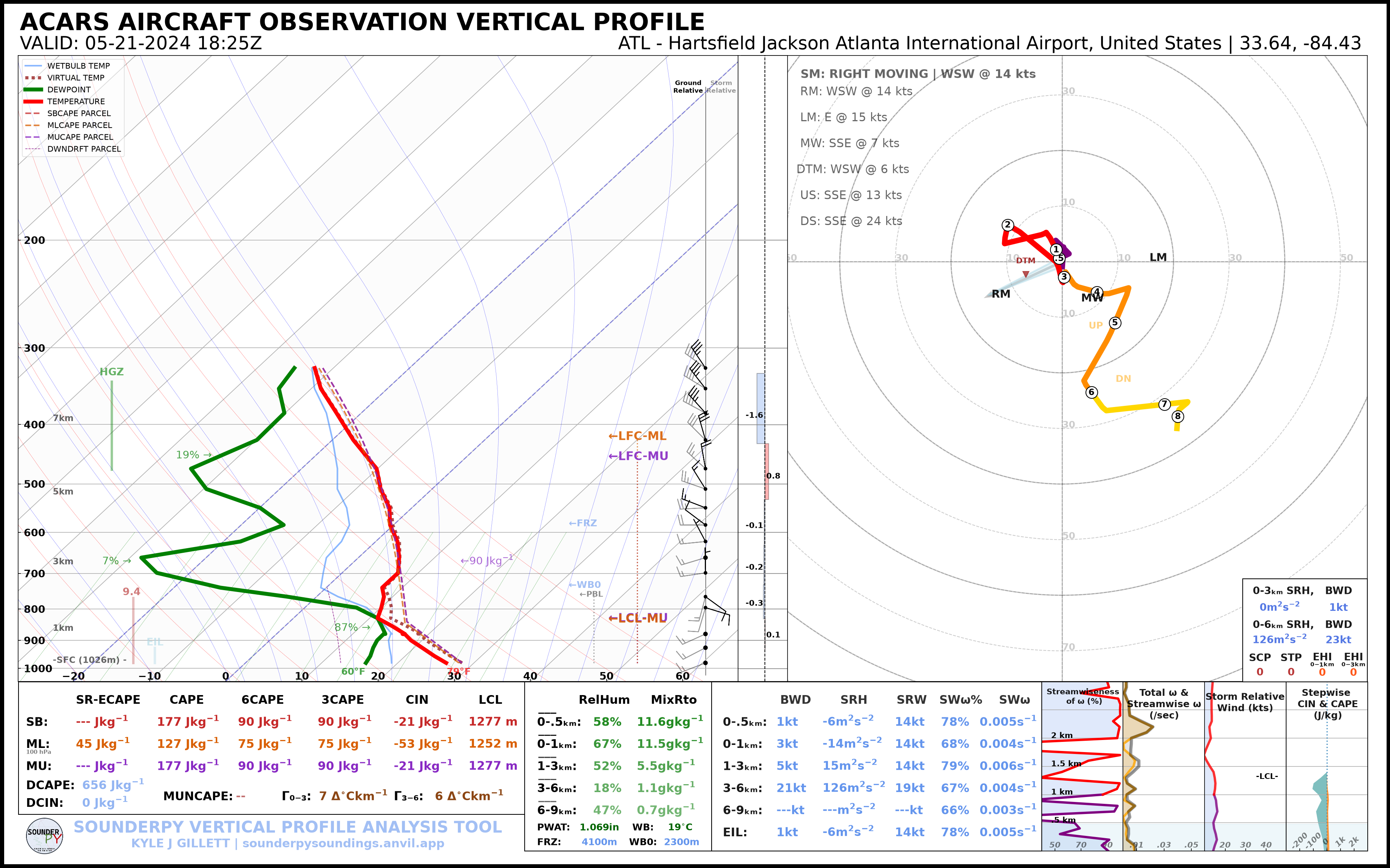
ACARS profile identifiers are archive-dependent, so listing profiles first is the most robust workflow.
Why clean_data Matters
After retrieval, all four examples can use the same plotting function:
spy.build_sounding(raob)
spy.build_sounding(rap)
spy.build_sounding(bufkit)
spy.build_sounding(data)
The same is true for:
spy.build_hodograph(...)
spy.sounding_params(...)
spy.to_file(...)
This separation between retrieval and analysis/plotting is what allows SounderPy workflows to remain consistent across different source types.
Model Output and Custom Data
SounderPy also includes utilities for converting model/custom inputs into
clean_data.
CM1 input sounding:
metadata = {
    "latlon": [48.57, -100.98],
    "elev": 450,
    "top_title": "CM1 INPUT SOUNDING",
    "left_title": "CUSTOM PROFILE",
    "right_title": "CM1",
}

cm1_data = spy.make_cm1_profile(
    "input_sounding",
    metadata,
)
WRF output can similarly be converted with spy.make_wrf_profile(...).
Once converted, these profiles use the same SounderPy analysis and plotting functions as retrieved profiles.
See Custom Data Sources for detailed input requirements.
CLI Equivalents
Observed profile:
sounderpy obs OAX 2014-06-16 18
RAP/RUC:
sounderpy model rap-ruc 44.58 -100.82 2024-08-28 18 \
    --box-size 0.25
Archived BUFKIT:
sounderpy bufkit gfs KMOP 6 \
    --run 2023-08-05 12
List ACARS profiles:
sounderpy acars list 2024-05-21 18
Next Steps
Continue to Composite Soundings to compare multiple profiles on one figure.
See also: